
AI Interface Design
Top AI Tools for Scalable Design Systems
Compare AI design tools for building scalable design systems: prototyping, asset generation, and system-aware workflows for teams and developers.

AI tools are transforming how teams build and maintain scalable design systems, ensuring consistency, efficiency, and faster workflows. These tools automate compliance with design standards, making it easier for teams to create, manage, and scale design systems without manual intervention. Here's a quick overview of some of the most effective AI tools for design systems:
Exalt Studio: Focuses on building dynamic design ecosystems with AI-ready infrastructure for startups. Offers services starting at $4,000/month.
Adobe Firefly: Excels in generating scalable assets like icons, UI elements, and branded graphics. Integrated with Adobe Creative Cloud.
Canva Magic Studio: Simplifies design with AI-powered tools for creating templates, social media posts, and marketing assets. Pricing starts at $12.99/month.
V0 by Vercel: Converts text prompts into production-ready React components, ideal for developers. Offers usage-based pricing.
Uizard: Rapidly creates prototypes from text prompts or sketches, with tools for focus prediction and brand alignment. Pro plans start at $12/month.
Figma with AI Plugins: Enables system-aware generation of prototypes, automated compliance checks, and seamless asset management. Professional plans start at $12/editor/month.
Midjourney: Generates photorealistic images and mood boards for early-stage design ideation. Plans start at $10/month.
DALL·E 3: Produces custom visuals and illustrations directly within workflows. Included with ChatGPT Plus at $20/month.
These tools cater to different needs, from rapid prototyping to detailed asset creation, helping teams streamline their workflows while maintaining design consistency.
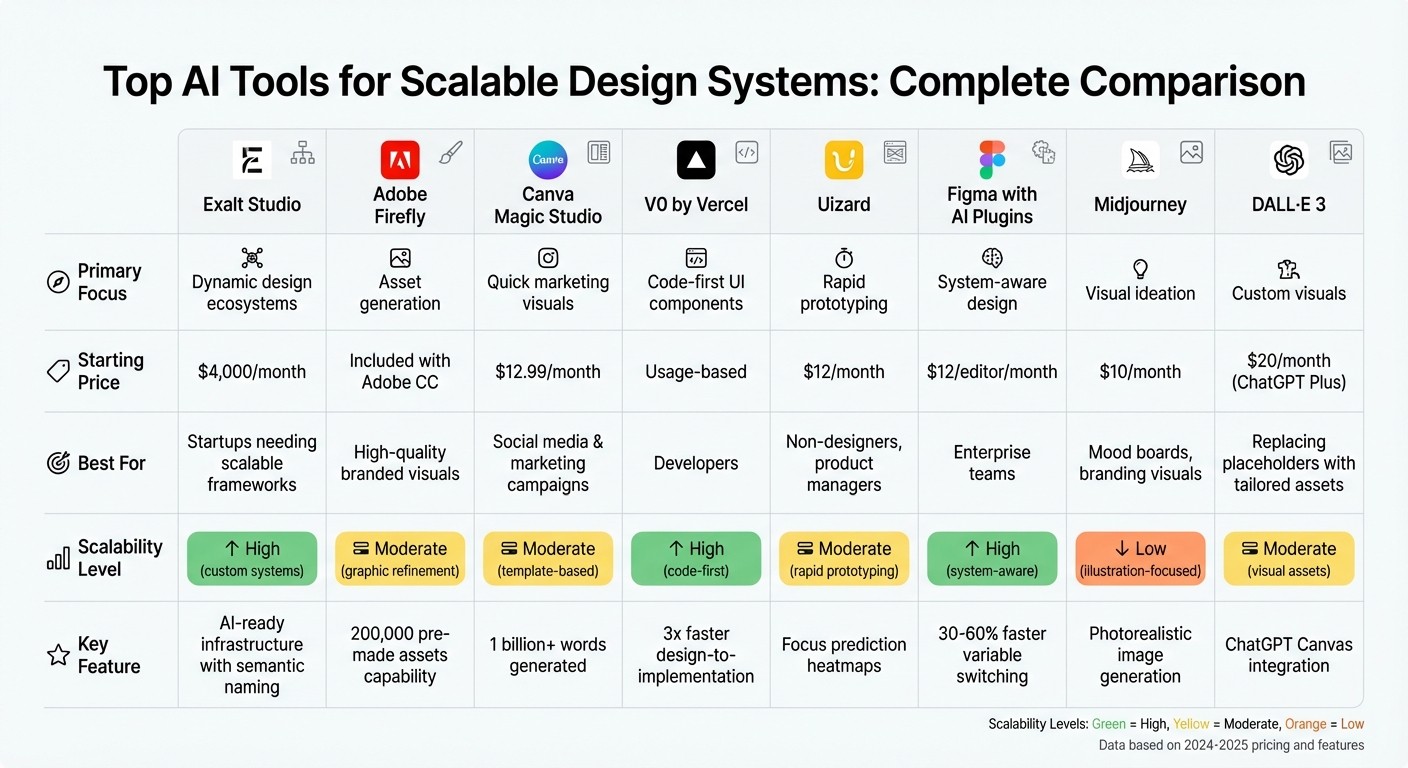
AI Design Tools Comparison: Features, Pricing, and Best Use Cases
I Built My Entire Design System in 4 Hours With AI. Full Tutorial (Claude + Cursor + Figma)
Quick Comparison
Tool | Focus Area | Best For | Starting Price |
|---|---|---|---|
Exalt Studio | Dynamic design ecosystems | Startups needing scalable frameworks | $4,000/month |
Adobe Firefly | Asset generation | High-quality branded visuals | Included with Adobe CC |
Canva Magic Studio | Quick marketing visuals | Social media and marketing campaigns | $12.99/month |
V0 by Vercel | Code-first UI components | Developers | Usage-based pricing |
Uizard | Rapid prototyping | Non-designers, product managers | $12/month |
Figma with AI Plugins | System-aware design | Enterprise teams | $12/editor/month |
Midjourney | Visual ideation | Mood boards, branding visuals | $10/month |
DALL·E 3 | Custom visuals | Replacing placeholders with tailored assets | $20/month (ChatGPT Plus) |
These tools ensure that design systems are scalable, efficient, and aligned with brand standards, offering tailored solutions for different team sizes and goals.
1. Exalt Studio
Exalt Studio takes a fresh approach to scalable design systems, treating them as dynamic ecosystems instead of static UI kits. For startups in AI, SaaS, and Web3, this means creating frameworks that include code libraries, governance models, and machine-readable documentation that can evolve with increasing complexity. By leveraging methodologies like Atomic Design and Object-Oriented UX (OOUX), they ensure components remain both modular and scalable. This aligns with the broader trend toward system-aware design discussed earlier.
What truly sets Exalt Studio apart is its focus on AI-ready infrastructure. They design systems with semantic naming conventions, JSON/YAML documentation, and metadata, enabling AI tools to interpret and apply design intent seamlessly. This allows AI to prioritize compliance with design tokens automatically. Such a technical foundation not only enhances efficiency but also delivers tangible benefits for their clients.
Their services are structured to provide ongoing value. For instance, their continuous design retainers, starting at $4,000 per month, are designed to address "design drift" as systems evolve. These retainers include daily Slack collaboration, custom UX strategies, and quarterly audits to pinpoint and resolve usability issues. For startups working on MVPs, they offer fixed project options starting at $8,000, delivering complete designs - including branding and intuitive UI/UX - within 4 to 12 weeks.
Exalt Studio also employs active governance models, which make adhering to design rules more straightforward than breaking them. Instead of relying on manual enforcement, they build constraint layers that naturally guide teams toward compliant outputs, reducing the risk of design inconsistencies.
Their services extend across web applications, marketing sites, brand identities, and mobile designs, all tailored to meet the demands of fast-scaling startups without compromising quality. Additionally, they demonstrate their commitment to innovation by offering equity-based deals for select startups and accepting cryptocurrency payments, aligning with their strong ties to the Web3 ecosystem.
2. Adobe Firefly
AI-Driven Features for Asset Generation
Adobe Firefly is redefining how designers create assets with its advanced AI tools. One standout feature is Text to Vector, which generates editable vector graphics in .svg format. This makes it incredibly simple to create scalable icons and UI elements that can seamlessly integrate into design systems. Another key tool, Generative Fill and Expand, allows users to modify elements using natural language commands, while Generative Recolor in Adobe Illustrator instantly applies color variations to vector images.
For businesses, Firefly's Custom Models are a game changer. These models let companies train the AI on their own brand assets, ensuring that every piece of generated content aligns perfectly with their brand identity. This eliminates the risk of AI producing off-brand or inconsistent results. Teams can also use Style Kits to share pre-approved prompts, helping maintain visual consistency across all projects. Together, these features lay the groundwork for building scalable and cohesive design libraries.
Scalability of Design Libraries
Firefly takes scalability to the next level with StyleIDs - digital codes that encode brand elements like colors, logos, and tone. These codes ensure consistency across an entire design system. A notable example of this was "Project Fizzion", a collaboration between Adobe and The Coca-Cola Company in October 2025. Spearheaded by Aaron Mitchell Finegold and Coca-Cola's design team, the project introduced "intelligent" logos that adhered to brand guidelines. These logos allowed global partners and agencies to create on-brand designs for various themes and localized markets without sacrificing consistency.
The results speak for themselves. One global enterprise used Firefly to generate 200,000 pre-made assets. Companies have also reported a 70% faster time to market when creating localized hero assets. Additionally, Firefly has enabled a 96% faster turnaround for versioning, with 270 variations produced in a single day. Some businesses have even managed to produce five times more content by streamlining their supply chains.
Integration with Design Workflows
Firefly is designed to fit seamlessly into Adobe Creative Cloud applications, making it an essential tool for modern design workflows. The platform offers over 30 creative APIs through its Firefly Services APIs, including the Object Composite API, which places products into realistic settings, and tools for automated bulk actions like background removal and resizing.
"Adobe Firefly unleashed our creativity. It's a magic machine that helps us play, explore, and innovate, without compromising speed or safety." - Michael Meurer, Global Design Lead
Firefly offers flexible pricing options: a free tier at $0.00/month, a Standard plan at $9.99/month, a Pro plan at $19.99/month, and a Premium plan at $199.99/month.
3. Canva Magic Studio
AI-Driven Features for Asset Generation
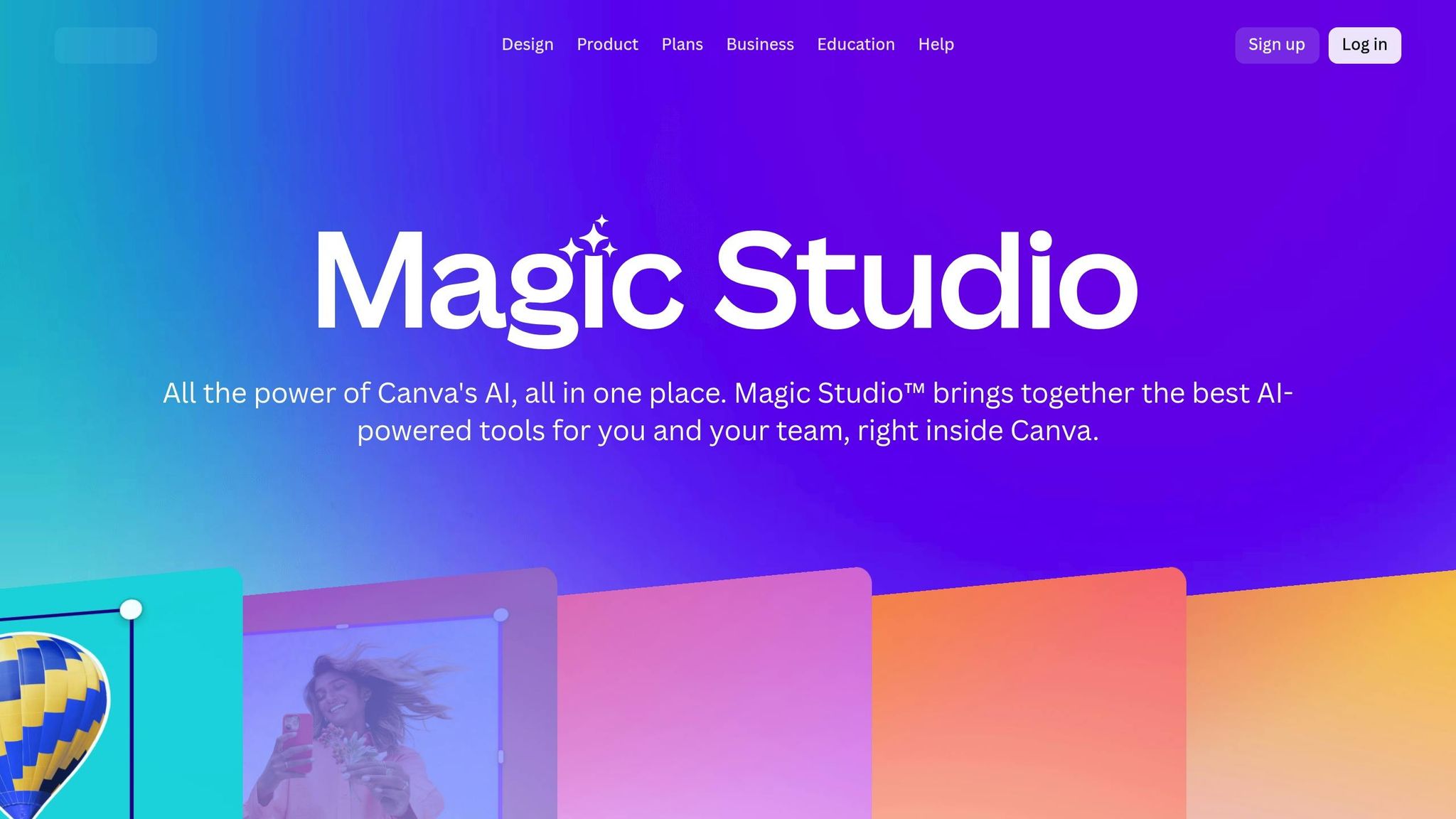
Canva Magic Studio brings together a suite of AI-powered tools designed to simplify and enhance design workflows. Magic Design allows users to create custom, on-brand templates from simple text prompts or uploads. It takes care of choosing layouts, headlines, and styles for various formats like social media posts, presentations, and videos.
For image editing, Canva offers some standout features. Magic Grab lets you isolate and edit elements within an image, while Magic Expand adjusts image borders to fit different aspect ratios without requiring manual adjustments. On the creative side, Magic Media generates photos, 3D imagery, and even short videos from text descriptions. For text-heavy projects, Magic Write with Brand Voice ensures that written content aligns with a company’s tone. Since its launch in 2022, this tool has already helped users generate over 1 billion words. These features make Canva a powerful platform for managing scalable design systems.
Scalability of Design Libraries
Canva takes scalability to the next level with its centralized Brand Kit, which ensures consistent design across teams and projects. This hub stores essential branding elements like logos, color palettes, and typography, enabling AI to maintain your brand’s visual identity seamlessly. Tools like Resize & Magic Switch convert a single design into multiple formats with just one click, all while keeping the layout intact. Melanie Perkins, Co-Founder and CEO of Canva, highlights the tool’s efficiency:
"Resize & Magic Switch makes it effortless to instantly scale your content into multi-channel campaigns in seconds."
The platform also supports global teams by automatically translating designs into over 100 languages, making it an indispensable tool for managing worldwide campaigns. To further empower its creator community, Canva has pledged $200 million over three years in content and AI royalties.
Integration with Design Workflows
Magic Studio is fully integrated into the Canva editor, allowing users to collaborate in real-time without switching platforms. The App Marketplace expands functionality by connecting third-party AI tools like DALL·E and Imagen directly into the workspace. For enterprise users, Canva Shield adds a layer of control with role-based permissions, enabling administrators to manage access to specific AI features. Importantly, Canva prioritizes user privacy, ensuring that customer content is not used to train AI models unless explicitly approved by the user.
These features make Canva Magic Studio a versatile and secure solution for teams looking to streamline their design processes.
4. V0 by Vercel
AI-Driven Features for Asset Generation
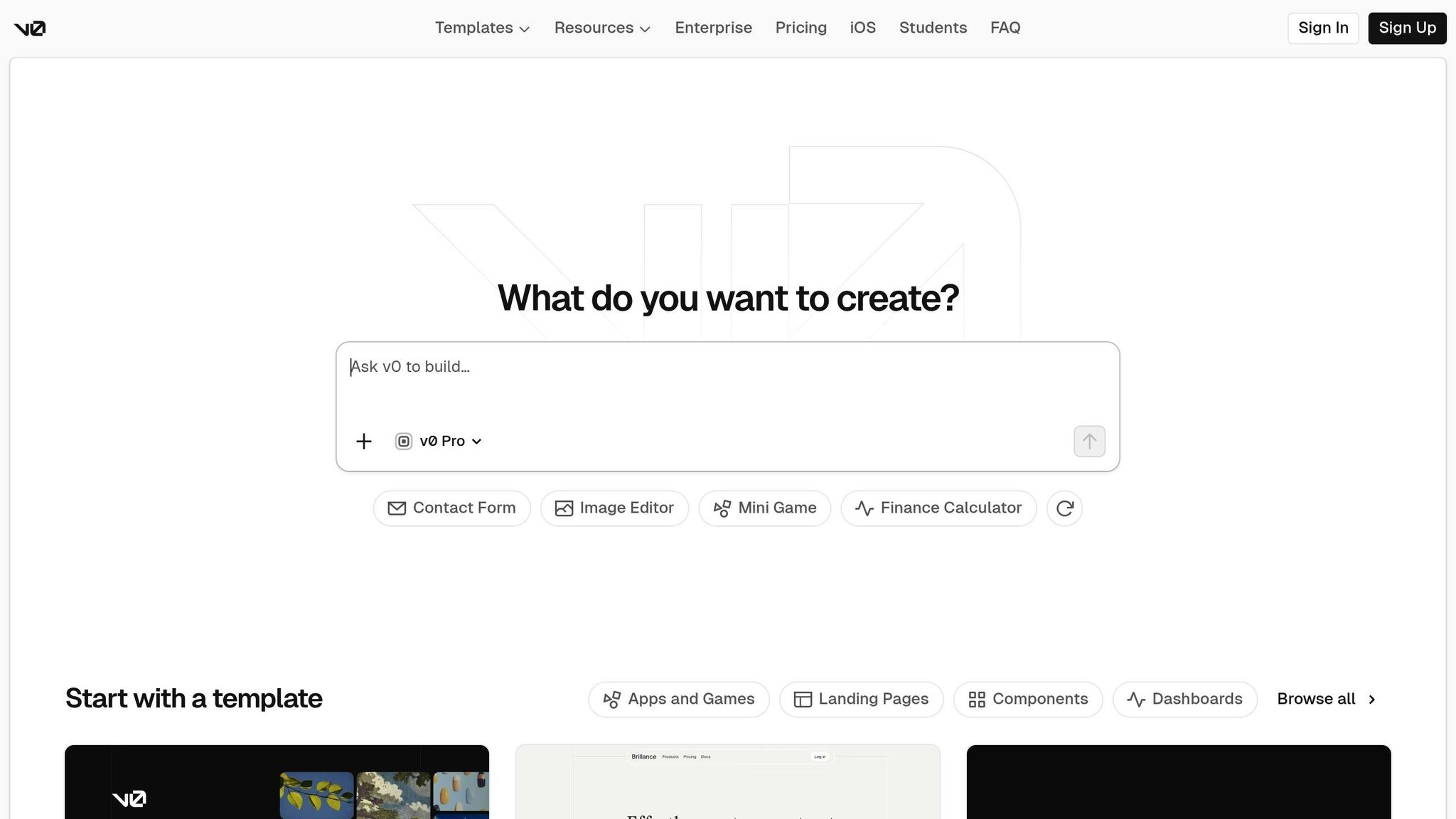
V0 takes text prompts and transforms them into code using React, Tailwind CSS, and shadcn/ui. Its Design Mode allows users to tweak layouts, typography, and text visually - no extra inputs required. When you import Figma files, V0 doesn’t just replicate the design; it analyzes the visual context and component relationships to generate code that matches the original. It even predicts animations based on the design’s intent. Additionally, the platform features an intelligent agent that scans websites and fixes errors automatically. Within just three weeks of its announcement, V0 attracted 100,000 people to its waitlist.
Scalability of Design Libraries
V0 leverages shadcn/ui Registries to distribute branded components in a format that AI can interpret. This centralized approach helps design systems scale seamlessly across teams. The Model Context Protocol (MCP) ensures that AI outputs stay consistent with the design system, not only in V0 but also in other AI-powered tools like Cursor and Windsurf. As Will Sather, Sales Engineer at Vercel, puts it:
"A registry becomes the mechanism in which we humans and machines contextualize and use a design system."
Teams that restructure their design systems around shadcn/ui to integrate with V0 have reported reducing the time from design to implementation by up to threefold.
Integration with Design Workflows
V0 supports custom configurations, including tailwind.config.js and globals.css, so teams can seamlessly incorporate their utility classes and CSS variables. The V0 CLI enables direct installation of generated UIs into existing Next.js projects, eliminating the need for manual copy-pasting. Users can also upload PDFs, code files, or text as "Sources" to provide the AI with custom context. For Figma imports, breaking designs into smaller frames - like navbars, sidebars, or forms - helps the AI better understand and process components. These features make it easier to prototype quickly and refactor systems efficiently.
Best Use Cases for Design Systems
V0 shines in rapid prototyping, enabling teams to create brand-aligned, production-ready prototypes with ease. It’s also ideal for component refactoring, helping teams transform their libraries into AI-compatible systems, drastically cutting down implementation time. On top of UI generation, V0 supports technical planning by producing architecture diagrams, migration strategies, and system designs for complex frontend projects. The platform offers a free tier for newcomers, with Pro and Enterprise plans available for teams needing higher capacity.
5. Uizard
AI-Powered Tools for Asset Creation
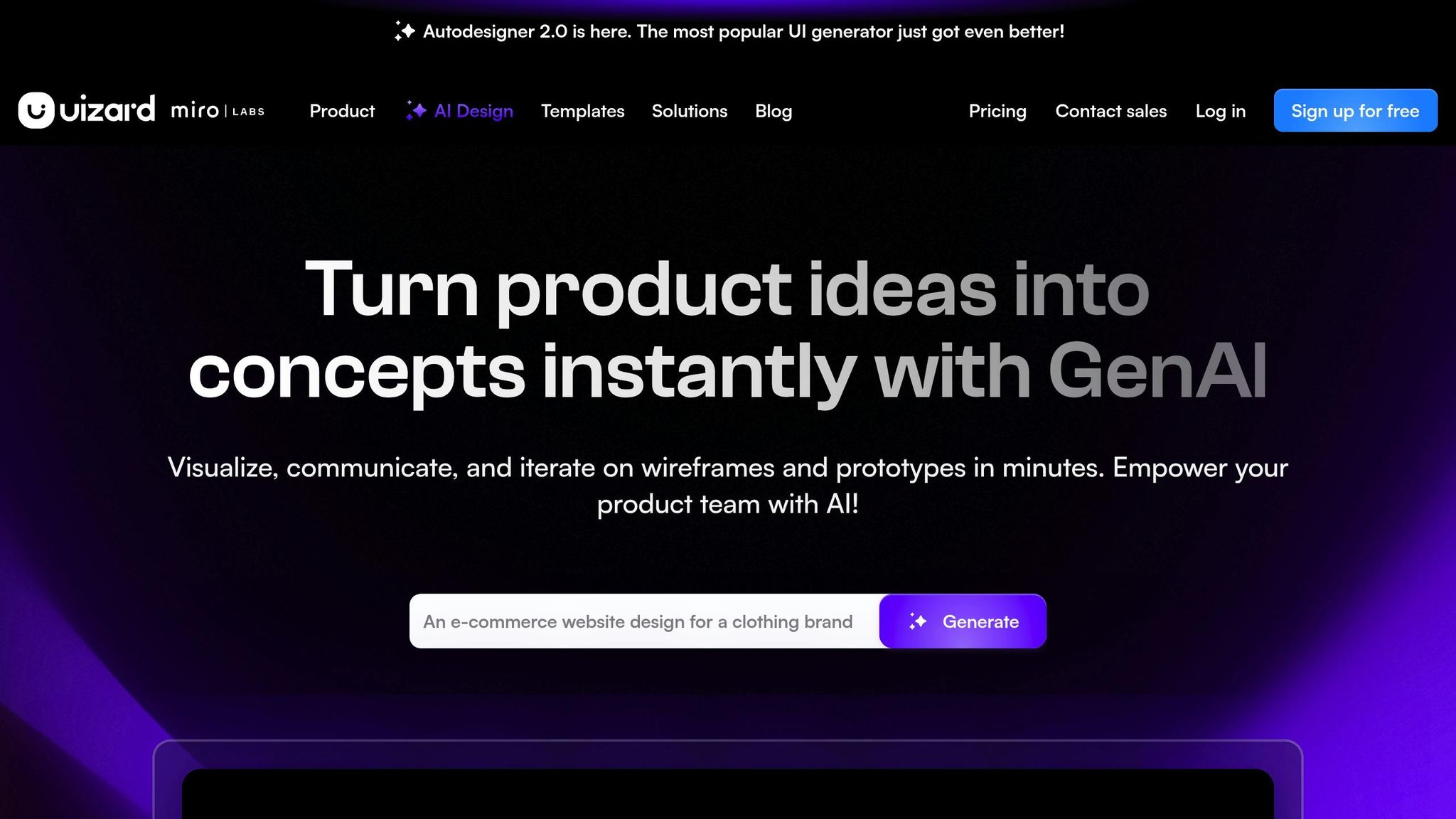
Uizard's Autodesigner 2.0 brings a conversational interface to the table, allowing users to create multi-screen prototypes simply by typing text prompts. With its Screenshot Scanner, you can transform images of websites or apps into fully editable mockups, while the Wireframe Scanner turns hand-drawn sketches into polished digital designs. The Theme Generator builds complete UI themes from either text or images, and the Text Assistant helps craft UI copy like titles and calls-to-action. These tools make it easier to maintain consistent designs while scaling them across projects.
Streamlined Design Libraries
With Uizard's Brand Kit, you can align AI-generated designs with your existing design system. Updates to components are a breeze - just use plain-English commands to apply changes across multiple screens. For larger teams, Uizard offers enterprise-level solutions, including team management tools to add members and set permissions.
Seamless Workflow Integration
Uizard integrates smoothly with professional design tools through its Figma plugin. Designer Nolan Perkins shared his excitement about this feature:
"Uizard just dropped a Figma plugin and I think it's going to change my UI & UX design process! Uizard I think is going to help bridge the gap from idea to visualization"
Another standout feature is the Focus Predictor, which generates heatmaps to show where users are likely to focus their attention - providing insights before formal usability testing even begins.
Ideal Scenarios for Design Systems
Uizard shines in rapid prototyping, making it possible to go from concept to a clickable prototype in no time. Product Manager David Pereira summed it up well:
"Generate a clickable prototype in 30 seconds"
This makes the platform especially useful for non-designers, such as product managers and startup founders, who need high-quality mockups without a deep background in design. Uizard offers a free tier to get started, with Pro plans priced at $12 per creator per month (billed annually) and Premium plans at $49 per creator per month. It has earned a 4.2/5 rating on G2 and a 4.5/5 rating on Product Hunt, with users praising its speed and ease of use, though some noted that more complex designs may require additional tweaking.
6. Figma with AI Plugins
Scalability of Design Libraries
Figma's AI-powered search makes finding design elements a breeze. Designers can use natural language to locate components, like typing "primary button" to pull up an element named "btn_large", even when naming conventions don't match perfectly. Marco Cornacchia, a Product Designer at Figma, summed it up well:
"Search is the perfect example of how AI can pragmatically solve real pain points designers face every day".
By February 2025, Library Analytics expanded its capabilities to track styles and variables alongside components, offering teams valuable insights into how assets are used on a large scale. Another helpful feature is automated layer renaming, which keeps files clean and organized in massive projects, making them ready for developers right away [36,38]. Together, these tools set the stage for AI-powered asset generation.
AI-Driven Features for Asset Generation
The First Draft feature (previously called Make Designs) helps designers skip the dreaded blank canvas phase. It creates editable UI layouts from text prompts, aligning with existing design systems [36,38]. In October 2025, ServiceNow's Senior Staff Designer Guy Meyer and Senior Product Designer Ka Temple used First Draft to quickly move from empty artboards to polished mockups. This allowed them to focus on real-world scenarios rather than placeholder content, speeding up stakeholder alignment.
Figma's "Check designs" linter is another game-changer. It automatically matches raw values to the right variables, suggesting tokens to ensure everything complies with design standards before handoff to developers. This feature lightens the load of manual checks, letting teams explore more design variations during brainstorming sessions [1,39].
Integration with Design Workflows
Figma's AI tools don't just scale; they integrate seamlessly into workflows. For example, in June 2024, Gavin Nelson, a Designer at Linear, used AI-powered text rewriting tools to speed up copy iterations. Similarly, Lee Munroe, Head of Design at OneSignal, used Figma's AI to automate layer naming and generate placeholder text, freeing up time for more strategic work.
The Visual Search feature is another standout. Designers can upload an image or select a part of their canvas, and the AI will find visually similar assets from team files. Thanks to recent updates, tasks like switching variables or modes are now 30% to 60% faster. In complex files, heavy state swaps that once took 3,500 ms now take just 350 ms.
Best Use Cases for Design Systems
Figma's AI tools are especially handy for teams managing large-scale design libraries. They ensure consistency while still allowing room for creativity. Jake Albaugh, Developer Advocate at Figma, highlighted this balance:
"Design systems let AI-powered exploration stay grounded, leveraging shared components to rapidly pursue many different, system-aligned options".
This is particularly important for enterprise teams that need to uphold brand standards without stifling creativity. Figma Design AI is available on paid plans and uses a shared credit system across all AI features. Access requires a Full seat. As of late 2025, Professional plans now support up to 10 variable modes, while Organization plans allow for 20.
7. Midjourney
AI-Driven Features for Asset Generation
Midjourney is known for its ability to create photorealistic images, offering features like adjustable lighting and textures that allow creative teams to craft tailored brand imagery. By converting text prompts into detailed, high-quality concepts, it becomes an invaluable tool during the early stages of design system development - especially when brainstorming and exploring visual ideas. This streamlined process simplifies visual experimentation in the initial phases.
One of its standout features is its ability to maintain a cohesive aesthetic across multiple outputs, ensuring brand consistency. This is crucial when refining the visual identity of a design system. Romina Kavcic, Founder of The Design System Guide, highlights its efficiency:
"Generating 20 mood board images takes 10 minutes instead of hours searching stock sites".
Best Use Cases for Design Systems
Midjourney shines during the "pre-design" phase, making it ideal for shaping brand emotions, creating mood boards, and conceptualizing visual identities. While it’s not designed to produce functional UI components, it excels at delivering artistic and conceptual visuals that help establish a creative direction.
Wayne Sun emphasizes the importance of this process, noting how quick mood board exploration can guide teams toward a unified vision. He says:
"Design systems open the door for product experiences that scale without losing their soul... Intuition becomes substance. Taste becomes repeatable.".
Currently, integrating Midjourney into workflows requires manual effort. Designers typically use it to generate visuals, which are then brought into primary design tools for further refinement. This makes it particularly useful for creating promotional materials and brand-level assets that complement more structured design system components.
8. DALL·E 3
AI-Driven Features for Asset Generation
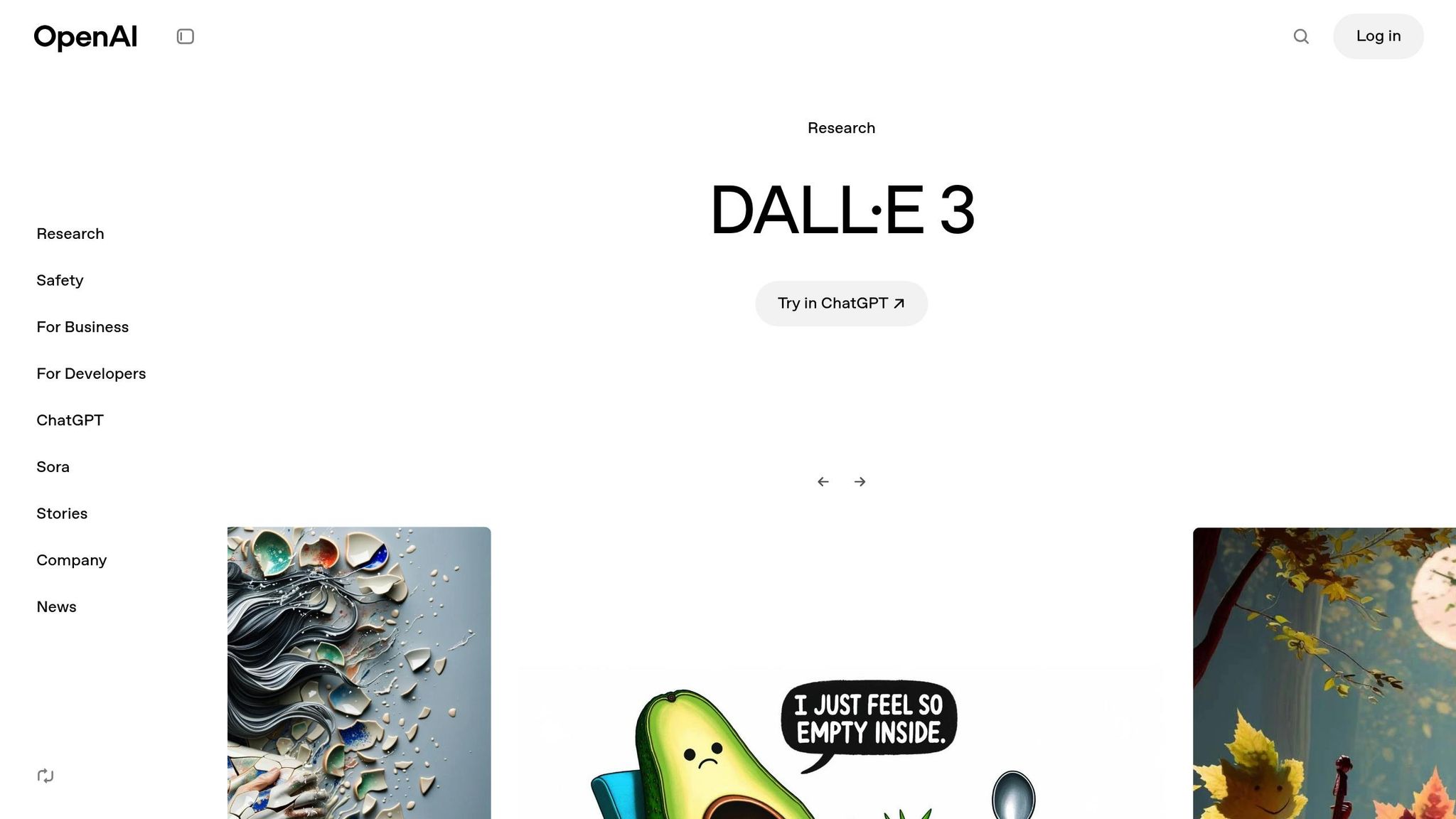
DALL·E 3 takes text prompts and transforms them into polished visuals directly within your design workflow. This integration simplifies creating high-quality images, icons, and illustrations, replacing generic placeholders with imagery that feels more authentic and relevant. By connecting with tools like ChatGPT or Figma's Actions menu, DALL·E 3 streamlines the process of generating visuals tailored to the project’s context. Guy Meyer, Senior Staff Designer at ServiceNow, underscores the value of this feature:
"Realistic data is key to selling stakeholders on the vision you're driving towards".
Beyond generating visuals, DALL·E 3 includes features like background removal, resolution enhancement, and image expansion, which are particularly useful for creating responsive layouts. Additionally, its integration with ChatGPT's Canvas feature fosters collaborative editing, allowing teams to refine assets together in real time. Combining image generation with web browsing and file transformation, this tool is especially handy for research-heavy projects where custom visuals are essential.
Integration with Design Workflows
DALL·E 3 fits seamlessly into design systems, helping to maintain brand consistency while encouraging creative exploration. Wayne Sun highlights this shift in perspective:
"Design systems stop being just about consistency; they start becoming vessels for creative identity".
By aligning generated visuals with a system's tokens and components, DALL·E 3 ensures outputs not only reflect the brand but also allow designers to experiment with visual ideas quickly. This approach strengthens the scalability of design systems while keeping them rooted in brand guidelines.
However, AI tools like DALL·E 3 need clear and explicit input to produce reliable results - something human designers often infer instinctively. Zoe Adelman, Product Manager at Figma, points out:
"Anything you might expect designers to infer without having it explicitly written in the system is really critical context for AI".
To get the best results, it’s crucial to document the reasoning behind brand choices and provide clear examples, ensuring AI-generated assets align with the system’s vision.
Best Use Cases for Design Systems
DALL·E 3 excels at replacing placeholders with realistic visuals, speeding up the shift from static mockups to interactive prototypes. It’s particularly effective for creating social media graphics, ad visuals, and presentation assets that need to align with a specific brand aesthetic. Romina Kavcic, author of The Design System Guide, shares her experience:
"AI tools have cut my repetitive work by 50-60% and become part of my daily workflow".
Tool Comparison Table
Here’s a detailed look at some popular AI tools, highlighting their strengths, integration options, and ideal use cases:
Tool | Scalability Approach | Integration Options | Asset Generation | Pricing | Best For |
|---|---|---|---|---|---|
Exalt Studio | Custom design systems with token structures | Slack or preferred messaging platforms | UI/UX design for AI, SaaS, and Web3 products | Starting at $4,000/month (retainer) or $8,000/project (fixed) | Startups needing MVP design or ongoing design support with brand consistency |
Adobe Firefly | Moderate (graphic refinement) | Photoshop, Illustrator | Generative fill, text-to-image, asset recoloring | Included with Creative Cloud subscription | High-fidelity graphic refinement and creating asset variations |
Canva Magic Studio | Moderate (template-based) | Canva ecosystem, brand kits | Social graphics, presentations, marketing assets | Free tier available; Pro starts at $12.99/month | Quick marketing visuals and social media content |
V0 by Vercel | High (code-first) | Git, VSCode, Next.js | Functional React components from prompts | Usage-based pricing | Developers creating production-ready UI components |
Uizard | Moderate (rapid prototyping) | Figma export, screenshot conversion | UI screens, heatmaps, complete prototypes | Free tier available; Pro starts at $12/month | Rapid prototyping and focus prediction |
Figma with AI Plugins | High (system-aware) | Model Context Protocol (MCP), REST API, Storybook | Functional prototypes and code generation | Free starter tier; Professional starts at $12/editor/month | Enterprise teams requiring system-aware generation with token compliance |
Midjourney | Low (illustration-focused) | Discord (required) | Illustrative art, moodboards, hero images | Basic plan starts at $10/month | Creative ideation, branding visuals, and custom illustrations |
DALL·E 3 | Moderate (visual assets) | ChatGPT, Figma Actions | Custom graphics, icons, and illustrations | Included with ChatGPT Plus ($20/month) | Replacing placeholders with realistic visuals and presentation assets |
Tools like Figma with AI Plugins and Exalt Studio stand out for maintaining consistency through token compliance, which is critical for scaling design systems without losing alignment. On the other hand, tools like Midjourney and Adobe Firefly shine when it comes to crafting custom illustrations and high-quality visuals but often need manual adjustments to match existing design frameworks.
For developers, V0 by Vercel offers seamless integration with production repositories, ensuring design and code stay perfectly aligned. Meanwhile, tools like Canva Magic Studio and Uizard cater to marketers and designers who need quick, polished assets for presentations or prototypes without diving into complex workflows.
Pricing ranges from free options for individuals to premium subscriptions and enterprise retainers, ensuring teams of all sizes can find a tool that suits their specific needs. Whether you're looking for rapid prototyping, detailed branding visuals, or precise code-level design, there’s a solution tailored to your goals.
Conclusion
Creating scalable design systems no longer means choosing between speed and consistency. Thanks to AI tools, teams can now harness three major strengths: prototyping tools like Figma with AI Plugins and V0 by Vercel enable rapid iteration while staying aligned with design systems; asset creation platforms such as Adobe Firefly and Midjourney produce high-quality visuals for branding and marketing; and system management solutions like Exalt Studio ensure every design decision integrates seamlessly with your tokens and component libraries from the very start.
This shift has redefined efficiency in design workflows. The transition from "system-checked" to "system-aware" generation is a game-changer. Modern AI tools now incorporate design tokens upfront, automatically applying the correct spacing, colors, and typography. According to a 2024 survey, 61% of teams still struggle with design inconsistencies. By automating compliance, system-aware tools bridge this gap, turning consistency into a built-in feature rather than an ongoing challenge.
"Design systems open the door for product experiences that scale without losing their soul. Intuition becomes substance. Taste becomes repeatable." - Wayne Sun, Product Designer, Figma
The results are tangible. Teams using system-aware AI report creating 40% more design variants, achieving 70% prototyping accuracy, and boosting confidence across organizations with over 1,000 employees during AI Product Builders Week.
FAQs
How can AI tools help scale design systems effectively?
AI tools play a key role in scaling design systems by taking over repetitive tasks and ensuring components stay consistent. They can handle things like drafting documentation, suggesting naming conventions, and generating code snippets. This frees up designers to channel their energy into creative work while still keeping designs uniform and aligned.
For example, AI-driven token managers simplify the process of converting design tokens - like colors, spacing, and typography - into production-ready code. This ensures that designs stay consistent across different platforms. Automated version control tools also come in handy by tagging releases, creating changelogs, and running quality checks. These tools cut down on manual work, making it quicker and easier to roll out updates.
At Exalt Studio, we’ve woven these AI-driven features into our design workflows, especially for AI-focused SaaS and Web3 startups. This approach helps us build scalable, up-to-date design libraries that can keep pace with rapid growth, all while delivering top-notch user experiences and preserving brand identity.
What features should I prioritize in AI tools for scalable design systems?
When selecting AI tools to support scalable design systems, focus on features that boost efficiency, ensure consistency, and fit effortlessly into your current workflow. Prioritize tools that integrate directly with your design software, so you can leverage AI capabilities without constantly switching platforms. For example, prompt-to-code features can transform design components and styles into production-ready code, saving both time and reducing the likelihood of errors.
Look for tools with semantic naming and token management to keep colors, typography, and spacing consistent across teams. Another helpful feature is AI-powered documentation, which can automatically create guidelines and naming conventions, allowing designers to dedicate more time to their creative work. Additionally, capabilities like version control, automated quality assurance, and real-time collaboration ensure that updates are rolled out smoothly while preserving brand consistency. These features collectively enable design systems to scale efficiently while staying dependable and adaptable for the future.
How can AI design tools enhance existing workflows?
AI design tools blend seamlessly into existing workflows by automating repetitive tasks and streamlining critical design stages such as brainstorming, creating components, and documenting work. These tools harness technologies like generative models, natural language processing, and predictive analytics to provide smart suggestions that designers can tweak or apply instantly.
Many design platforms, especially those with plugin support, allow AI to handle tasks like creating layout variations, recommending typography, or documenting components directly within the design file. By embedding AI into tools that teams already use, designers can maintain their productivity while scaling their design systems with ease. For instance, Exalt Studio designers rely on AI to keep their design libraries consistent, flexible, and prepared for quick product updates - all without disrupting their usual workflows.
To begin using AI tools, teams often tackle a specific challenge, such as automating asset creation, and select tools that integrate smoothly with their current systems. Engaging designers early in the process and establishing clear guidelines ensures that AI-generated outputs meet brand standards, making workflows more efficient and dependable.